WordPress 7 Has Officially Released: Here’s How to Update Safely Without Breaking Your Website
WordPress 7.0 has officially been released, and it is one of the biggest updates WordPress has introduced in recent years. The release brings major improvements to the block editor, admin dashboard, AI integrations, performance, developer tools, and modern website workflows.
For many business owners, this update may look exciting. But for real websites running online stores, booking systems, membership portals, or lead generation funnels, updating without proper testing can create serious problems.
A broken checkout page, plugin conflict, white screen error, or failed contact form can directly affect revenue and customer trust.
That is why WordPress 7 should never be treated like a small routine update.
In this guide, we will explain:
- What is new in WordPress 7
- Why this release is different
- The risks of updating carelessly
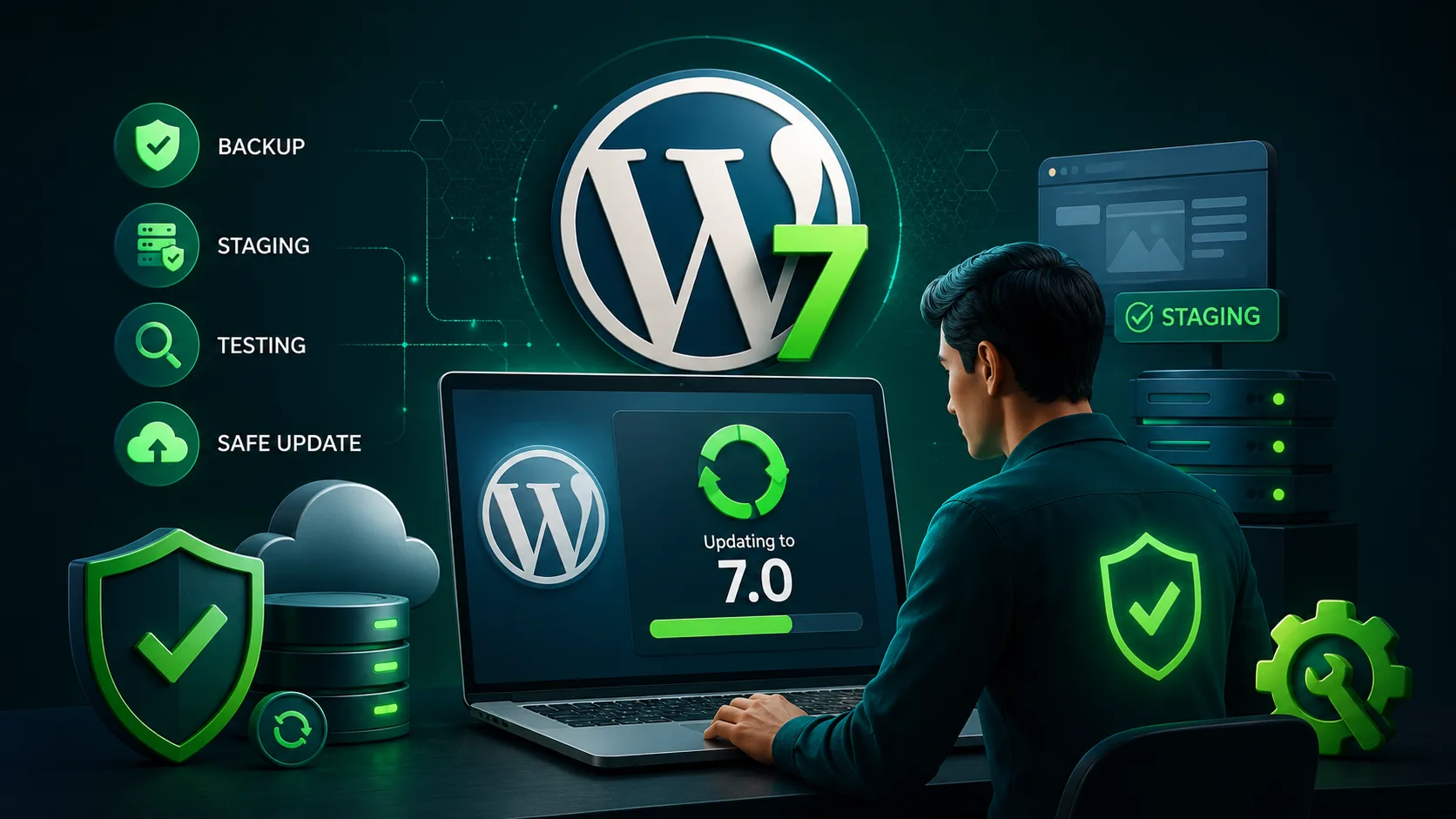
- Best practices for a safe update
- Why businesses should hire professional WordPress experts to handle upgrades
- How TenG Spectrum helps businesses update safely with zero disruption
WordPress 7.0 Release Overview
WordPress 7.0 is the first major WordPress release of 2026 and includes significant changes across the platform. The release was officially launched on May 20, 2026 after an extended testing and release candidate phase.
The WordPress core team delayed the release multiple times to improve stability and fix performance issues discovered during testing.
Key Highlights of WordPress 7
Improved Site Editor
The Full Site Editing experience has been expanded with:
- Better template management
- Improved reusable patterns
- More flexible layout controls
- Better design consistency
- New block features
- Improved spacing and dimension presets
Modern Admin Dashboard
The admin dashboard now feels faster and smoother with:
- Better UI components
- Improved navigation
- Faster transitions
- Cleaner typography
- Better image processing
New AI Integration Features
WordPress 7 introduces the WP AI Client, allowing developers and plugins to connect AI tools directly into WordPress.
This opens possibilities for:
- AI content generation
- AI assisted workflows
- Automated content tools
- Smart website features
PHP Only Blocks for Developers
Developers can now build lightweight blocks directly with PHP without complex JavaScript setups.
Better Website Performance
Performance improvements include:
- Faster block rendering
- Better database queries
- Improved lazy loading
- Better Core Web Vitals support
Why WordPress 7 Is a High Risk Update for Some Websites
While WordPress itself is tested heavily, every business website is different.
Your website may include:
- WooCommerce
- Membership systems
- LMS plugins
- Payment gateways
- CRM integrations
- Custom themes
- Booking systems
- Marketing automation tools
Each plugin and custom feature must work correctly with WordPress 7.
Many website problems happen not because WordPress failed, but because one plugin or theme was not fully compatible yet.
Common Problems After Major WordPress Updates
Businesses commonly experience:
- Broken layouts
- Website crashes
- Plugin conflicts
- Payment gateway failures
- Login issues
- White screen errors
- Missing website styling
- Slow loading pages
- Contact forms failing
- CRM integrations breaking
For ecommerce and lead generation websites, even one small issue can result in lost sales.
Why You Should Never Update WordPress 7 Directly on a Live Website
One of the biggest mistakes website owners make is updating directly on the live website.
This is extremely risky.
What Can Go Wrong
Imagine this situation:
You click update.
Suddenly:
- Customers cannot complete purchases
- Your booking system stops working
- Forms stop sending leads
- Important pages break
- The website becomes inaccessible
Now your business is losing revenue while developers try to repair the problem.
This happens more often than most business owners realize.
Best Practices for Safely Updating to WordPress 7
A professional WordPress update process involves much more than clicking the update button.
1. Create a Full Website Backup
Before any update:
- Backup files
- Backup database
- Backup themes
- Backup plugins
- Verify restore functionality
A backup is useless if it cannot be restored properly.
2. Use a Staging Environment
A staging environment is a clone of your live website used for testing safely.
Professional developers always test updates in staging first.
In staging, experts can:
- Test plugins
- Check layouts
- Verify forms
- Test checkout flows
- Review mobile responsiveness
- Confirm integrations
Only after successful testing should the update go live.
3. Check Plugin Compatibility
Not all plugins are immediately ready for major WordPress releases.
Professional developers verify:
- Plugin update status
- Compatibility reports
- Known issues
- Deprecated features
Critical plugins require extra attention:
| Plugin Type | Risk Level |
|---|---|
| WooCommerce | High |
| Membership Plugins | High |
| LMS Systems | High |
| CRM Integrations | High |
| Contact Forms | Medium |
| SEO Plugins | Medium |
| Cache Plugins | Medium |
4. Test Business Critical Functions
This is one of the most important steps.
Professionals test:
- Checkout pages
- Payment gateways
- User registrations
- Contact forms
- Email notifications
- Booking systems
- CRM automation
- User login systems
Many website owners skip this step and discover problems only after customers complain.
5. Monitor Performance After Update
Even if the website appears normal, hidden issues can still exist.
Professional teams monitor:
- Page speed
- Server errors
- Database load
- Plugin conflicts
- SEO indexing
- Mobile performance
Why Hiring a Professional WordPress Service Provider Matters
Updating WordPress professionally is not just technical maintenance.
It is business protection.
A professional service provider understands:
- Website architecture
- Plugin compatibility
- Security
- Performance optimization
- Rollback procedures
- Server environments
- Ecommerce systems
- SEO stability
This reduces downtime and prevents expensive business disruptions.
Benefits of Hiring Professionals for WordPress 7 Updates
Reduced Downtime
Professional teams minimize downtime during updates.
Your business stays operational.
Proper Testing Procedures
Experts follow structured testing workflows instead of guessing.
Faster Problem Resolution
If issues occur, professionals can quickly identify and fix them.
Better Website Security
Major updates often include important security improvements.
Professionals ensure your website remains protected.
Improved Website Performance
WordPress 7 includes performance enhancements, but they need proper optimization to fully benefit your site.
Plugin and Theme Compatibility Management
Experts know how to:
- Replace outdated plugins
- Resolve conflicts
- Optimize themes
- Maintain stability
Safe Rollback Plans
If something goes wrong, professionals can quickly restore the previous stable version.
Why DIY WordPress Updates Can Become Expensive
Many businesses try to save money by handling updates internally.
Unfortunately, failed updates often cost much more later.
Common Hidden Costs
- Emergency developer fees
- Lost sales
- SEO damage
- Customer frustration
- Downtime
- Security vulnerabilities
- Data loss
A professional update process is usually far cheaper than emergency recovery work.
WordPress 7 and Ecommerce Websites
Ecommerce websites require extra caution during updates.
WooCommerce Risks
Online stores can experience:
- Broken checkout pages
- Payment failures
- Shipping calculation issues
- Product page problems
- Cart errors
Even one hour of downtime during peak sales periods can create major revenue loss.
That is why ecommerce websites should always use professional update management.
WordPress 7 and SEO Performance
Improper updates can also affect search visibility.
Potential SEO problems include:
- Broken metadata
- Missing schema
- Slow loading pages
- Indexing issues
- Mobile usability problems
- Broken redirects
Professional developers verify SEO health after updates.
Signs Your Website Needs Professional WordPress Management
You should strongly consider professional WordPress support if:
- Your website generates revenue
- You run WooCommerce
- You use many plugins
- Your site handles customer data
- You rely on SEO traffic
- You use booking systems
- You have membership systems
- Your website is business critical
What Businesses Should Do Before Updating to WordPress 7
Here is a simple checklist.
WordPress 7 Safe Update Checklist
Before Update
- Backup website
- Backup database
- Check PHP version
- Update plugins
- Verify compatibility
- Create staging site
During Testing
- Test forms
- Test checkout
- Test mobile responsiveness
- Test speed
- Test user accounts
- Review frontend pages
After Launch
- Monitor errors
- Check analytics
- Verify SEO
- Monitor sales
- Watch server performance
How TenG Spectrum Helps Businesses Handle WordPress Updates Safely
At TenG Spectrum, we help businesses safely manage complex WordPress updates without risking downtime, lost sales, or broken functionality.
Our WordPress support services include:
- Safe WordPress updates
- Staging environment testing
- Plugin compatibility checks
- WooCommerce testing
- Website backups
- Security monitoring
- Performance optimization
- Emergency recovery support
- Ongoing maintenance plans
We handle the technical side so business owners can focus on running their business confidently.
Final Thoughts
WordPress 7 is a major release that introduces important improvements for modern websites, developers, and businesses. While the new features are exciting, updating carelessly can create serious problems for live business websites.
The safest approach is always:
- Backup first
- Test in staging
- Verify compatibility
- Monitor carefully
- Use professionals for critical websites
For businesses that rely on their website daily, professional WordPress management is not an expense. It is protection for your revenue, reputation, and customer experience.
If you want expert help safely upgrading your website to WordPress 7, optimizing performance, or managing your WordPress infrastructure professionally, contact TenG Spectrum for reliable WordPress development, maintenance, and digital strategy services.
Frequently Asked Questions
Find quick answers to common questions about this topic