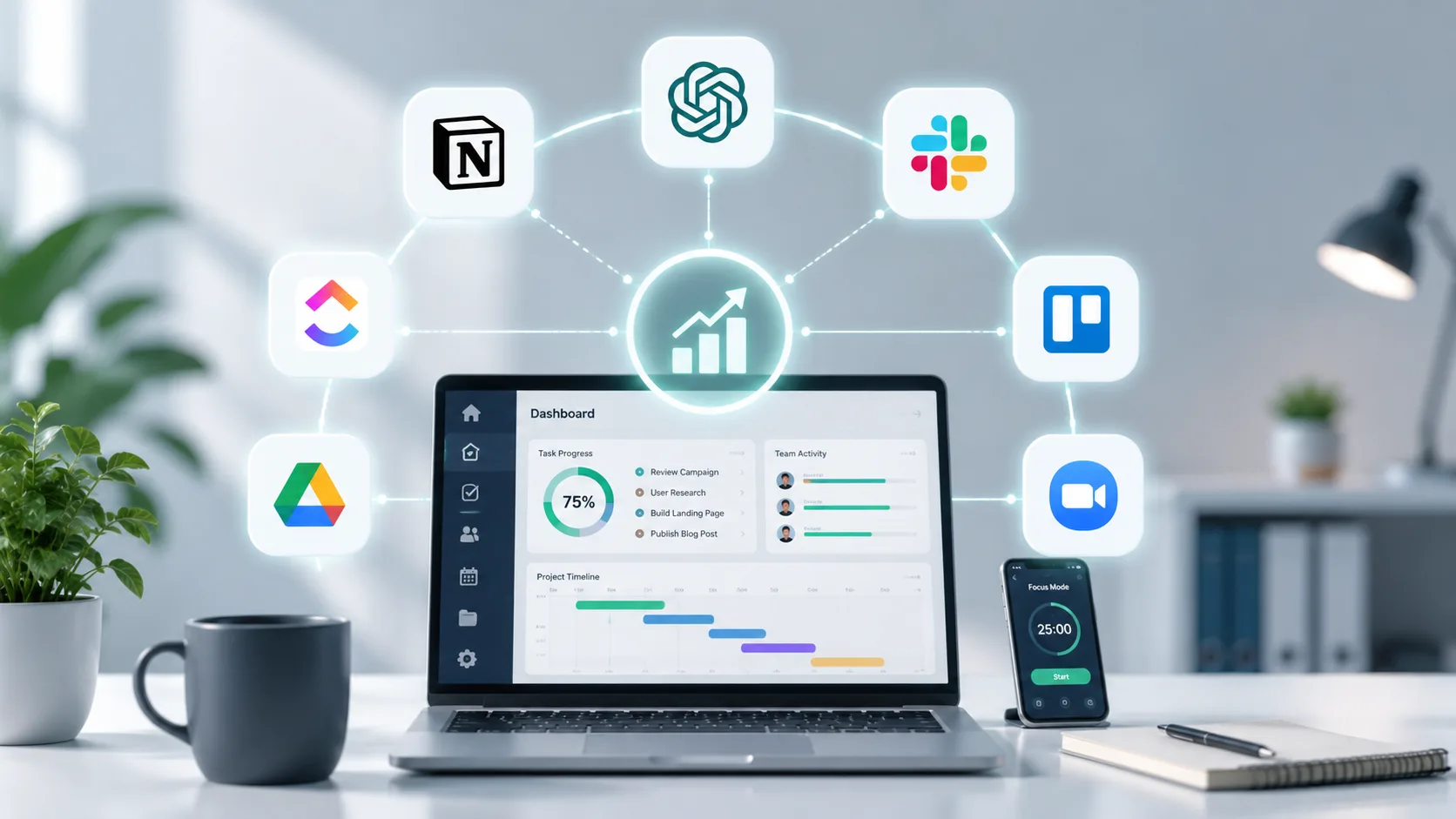
The landscape of modern business is defined by speed, adaptability, and efficiency. As remote work and hybrid models become the permanent standard, relying on outdated manual processes is no longer a viable option. Organizations must adopt the right digital infrastructure to survive and thrive.
Productivity is no longer just about working harder. It is about working smarter through the strategic implementation of technology. The top digital tools today do more than digitize paperwork; they actively automate workflows, analyze data, and bridge communication gaps.
Choosing the right software stack can drastically reduce operational bottlenecks and overhead costs. However, the sheer volume of available applications can overwhelm business owners. Selecting tools that integrate seamlessly is critical to avoiding application fatigue and fragmented data silos.
In this comprehensive guide, we will explore the top digital tools that can boost your business productivity across various categories. From project management and artificial intelligence to secure cloud storage, these are the platforms defining business success in 2026.
Why Digital Tools Are the Backbone of Modern Business
Digital transformation is not merely a buzzword; it is a fundamental shift in how value is delivered to customers. Companies that integrate robust digital tools experience higher profit margins and faster growth trajectories. The right software empowers teams to focus on high-impact strategic initiatives rather than repetitive administrative chores.
One of the primary benefits of adopting modern business software is enhanced cross-functional visibility. Managers can instantly see project statuses, resource allocations, and potential bottlenecks without needing to schedule constant update meetings. This level of transparency builds trust and accountability across remote teams.
Furthermore, integrating automation and artificial intelligence into daily operations drastically reduces human error. Automated payment reminders, intelligent data entry, and smart scheduling ensure that critical details are never overlooked. The result is a smoother operation that requires less manual oversight.
Data centralized within productivity tools also provides invaluable business intelligence. Decision-makers can track performance metrics in real time, adapting strategies based on concrete numbers rather than intuition. Ultimately, the correct software stack creates a scalable foundation that grows alongside your business.
Top Project Management and Work OS Tools
Project management software forms the central nervous system of any organized business. These platforms ensure that every team member knows exactly what needs to be done, who is responsible, and when the deadline is approaching.
1. Asana
Asana remains a powerhouse for visualizing project timelines and managing complex workflows. It is highly favored by marketing teams and cross-functional departments for its exceptionally clean and intuitive interface. The platform excels at breaking down massive strategic initiatives into manageable, daily tasks.
A key feature of Asana is its Timeline View, which functions as an interactive Gantt chart. This allows project managers to map out schedules, identify dependencies, and adjust deadlines with simple drag-and-drop mechanics. Asana also provides robust goal-tracking features to align daily work with broader company objectives.
In practice, Asana reduces the need for constant status update emails. Team members can comment directly on tasks, attach relevant files, and update progress in real time. This ensures that all contextual information remains tied to the specific project rather than getting lost in crowded inboxes.
2. ClickUp
ClickUp positions itself as the ultimate all-in-one centralized workspace, aiming to replace multiple disjointed apps. It combines task management, document creation, goal tracking, and team chat into a single robust platform. This makes it an ideal choice for businesses looking to consolidate their software subscriptions.
What sets ClickUp apart is its incredible level of customization. Businesses can create unique task statuses, custom fields, and tailored dashboard views that fit their exact operational model. Whether you prefer Kanban boards, lists, or calendar views, ClickUp adapts to your preferred working style.
Recently, ClickUp introduced native AI capabilities directly into its workspace. This allows users to generate project summaries, format documents, and extract action items without ever leaving the platform. For remote teams, this creates a highly efficient, self-contained productivity ecosystem.
3. Monday.com
Monday.com operates as a highly flexible Work Operating System (Work OS) rather than just a traditional task manager. It is designed to handle everything from standard project tracking to complex CRM pipelines and human resources onboarding. The platform is renowned for its highly visual, color-coded dashboard system.
The strength of Monday.com lies in its accessible automation features. Users can set up automated rules, such as notifying a specific manager when a project status changes to "under review." These micro-automations save countless hours of manual follow-up and ensure workflows proceed without interruption.
Monday.com also offers excellent template libraries, allowing businesses to launch new workflows in minutes. Whether you are managing a software development sprint or a real estate portfolio, the platform provides a structured, scalable environment that requires zero coding knowledge to set up.
4. Wrike
Wrike is an enterprise-grade work management software built specifically for complex, data-heavy projects. It is the preferred tool for large professional services, marketing agencies, and IT departments that require strict resource allocation and advanced reporting.
The platform provides an intelligence layer that helps predict project risks before they occur. Wrike offers deep resource management features, allowing managers to see exactly how much workload each team member carries. This prevents employee burnout and ensures that critical tasks are assigned to individuals with available capacity.
Wrike also excels in its proofing and approval workflows. Creative and development teams can collaborate directly on digital assets, leaving visual feedback and tracking version histories. This centralized feedback loop significantly accelerates the delivery of high-quality final products.
Project Management Tools Comparison
| Tool | Best For | Key Feature | Pricing Model |
| Asana | Workflow visualization | Interactive Timeline and Goals | Freemium / Per User |
| ClickUp | All-in-one consolidation | Deep customization and native AI | Freemium / Per User |
| Monday.com | Automated visual workflows | No-code automation rules | Freemium / Per User |
| Wrike | Enterprise and complex work | Advanced resource allocation | Freemium / Per User |
Revolutionary AI and Automation Software
Artificial Intelligence has transitioned from a novelty to an absolute business necessity. Implementing AI tools allows companies to execute tasks at an unprecedented speed, scaling their output without proportionally increasing their headcount.
5. ChatGPT (GPT-4)
ChatGPT remains the foundational AI assistant for business productivity. It serves as an on-demand researcher, copywriter, and analytical partner. Teams across all departments use it to draft emails, generate content outlines, and troubleshoot complex coding problems in seconds.
The latest iterations of ChatGPT offer multi-modal capabilities, meaning they can analyze uploaded documents, spreadsheets, and even images. A business analyst can upload a complex financial report and ask ChatGPT to summarize the key risk factors in bullet points. This saves hours of manual reading and data processing.
Also Read: What Are ChatGPT Apps? Complete Guide for Businesses and Everyday Users
To maximize ROI, businesses are now building custom internal instructions for ChatGPT. By feeding the AI specific brand guidelines and operational parameters, companies ensure that the generated output is consistently aligned with their corporate voice and strategic goals.
6. Google Gemini
For businesses already operating within the Google Workspace environment, Gemini is the ultimate productivity booster. Gemini acts as an integrated AI assistant that works natively inside Gmail, Google Docs, Sheets, and Meet. It removes the friction of switching between separate applications to utilize artificial intelligence.
In practical application, Gemini can read an entire email thread and draft a professional, context-aware response with a single click. During virtual meetings on Google Meet, Gemini can automatically take structured notes, capture action items, and distribute summaries to all attendees once the call concludes.
Within Google Sheets, Gemini accelerates data organization by automatically generating formulas and formatting raw data into structured tables. For teams heavily reliant on document collaboration, this deep integration drastically reduces the time spent on manual formatting and administrative upkeep.
7. Zapier AI
Zapier solves one of the biggest productivity killers in modern business: manual data transfer between disconnected software platforms. Zapier acts as a digital bridge, connecting over seven thousand different web applications without requiring any custom code.
With Zapier AI, building these automated workflows has become incredibly intuitive. Users can simply type a plain-language command, such as "When a new lead fills out my website form, add them to my CRM and send a welcome email." The AI instantly builds the technical automation sequence.
By eliminating manual data entry, Zapier reduces the risk of human error and ensures that data remains synchronized across all departments. This means your sales, marketing, and customer service teams are always looking at the most accurate and up-to-date information.
8. Notion AI
Notion has long been the premier platform for internal wikis, standard operating procedures, and knowledge management. With the addition of Notion AI, the platform transforms from a static document repository into a highly interactive, intelligent workspace.
Notion AI can instantly synthesize information spread across hundreds of company documents. If a new employee needs to know the standard procedure for processing a refund, they can simply ask the AI. The system pulls the exact context from old meeting notes and policy pages, delivering an accurate answer instantly.
Furthermore, Notion AI assists in structuring raw thoughts into polished project plans. Managers can brainstorm a rough list of goals, and the AI will automatically format it into a comprehensive project timeline complete with milestones and assigned deliverables.
Top Communication and Collaboration Platforms
Effective communication is the lifeblood of a remote or distributed workforce. The tools in this category aim to replicate the speed of an office environment while maintaining an organized, searchable record of all company interactions.
9. Slack
Slack revolutionized corporate communication by moving teams away from rigid email threads and into dynamic, organized channels. It is the industry standard for real-time chat, allowing teams to create dedicated spaces for specific projects, departments, or client communications.
One of Slack's most powerful features is its deep integration capabilities. It connects seamlessly with project management tools, CRMs, and developer environments. This means a team can receive automated updates about a closed sales deal or a server error directly within their chat window.
Slack also includes features like Huddles, which allow for instant, informal voice and video syncs without the need to schedule a formal meeting. This fosters a sense of immediate connectivity and spontaneous collaboration that remote teams often struggle to maintain.
10. Microsoft Teams
Microsoft Teams is an absolute powerhouse for enterprise environments and businesses deeply entrenched in the Microsoft 365 ecosystem. It combines enterprise-grade video conferencing, instant messaging, and secure file collaboration into one centralized hub.
Because it is natively integrated with applications like Word, Excel, and PowerPoint, users can co-author documents directly within the Teams interface. This eliminates the confusion of emailing multiple versions of a file back and forth. Everyone works on the exact same live document simultaneously.
Teams also offers robust security and compliance features, making it the preferred choice for healthcare, finance, and government sectors. The platform supports massive webinars, advanced breakout rooms, and deeply integrated AI meeting summaries via Microsoft Copilot.
11. Zoom
Despite the rise of all-in-one platforms, Zoom remains the most reliable and widely adopted software for high-quality video conferencing. Its primary advantage is its stability and ease of use; joining a Zoom meeting requires minimal technical friction, making it ideal for client-facing communications.
Zoom has heavily expanded its platform to include collaborative whiteboards, continuous team chat, and integrated AI companions. The Zoom AI Companion can catch late attendees up on what they missed in a meeting without interrupting the speaker, and it generates highly accurate post-meeting transcripts.
For businesses that run large-scale virtual events, Zoom Webinars offers unmatched scalability and audience management features. It remains an essential tool for sales demonstrations, company-wide all-hands meetings, and external client consultations.
File Management, Cloud Storage, and Design
Centralizing your digital assets is crucial for maintaining productivity. Without a secure, accessible cloud infrastructure, employees waste valuable time searching local hard drives for necessary files.
12. Google Workspace (Google Drive)
Google Workspace is the gold standard for cloud-based document creation and file storage. Google Drive provides a secure, organized repository where teams can store every digital asset the company owns. The permission controls are highly granular, ensuring sensitive data is only accessible to authorized personnel.
The true power of Workspace lies in its real-time collaboration. Multiple team members can edit a Google Doc or Sheet simultaneously, leaving comments and tracking version histories effortlessly. This synchronous work model completely eliminates version control issues.
Google Workspace's cloud search functionality is also exceptionally powerful. Users can search for specific keywords, and the system will locate the relevant document, presentation, or spreadsheet almost instantly, saving hours of manual folder browsing.
13. Dropbox
Dropbox remains a highly specialized and trusted tool for secure file syncing and the storage of large digital assets. It is particularly popular among video production agencies, graphic designers, and architecture firms that routinely handle massive file sizes that standard email cannot accommodate.
A standout feature is Dropbox Smart Sync, which allows users to view all their cloud files on their desktop without actually taking up local hard drive space. Files are only downloaded locally when they are actively opened, preserving vital computer performance.
Dropbox also includes integrated workflow tools like Dropbox Sign for legally binding e-signatures and DocSend for securely sharing external documents. DocSend allows businesses to track exactly when a client opens a proposal and which pages they spend the most time reading.
14. Figma
Figma has completely disrupted the design software industry by bringing professional user interface and user experience design into the cloud. It allows entire design teams, developers, and stakeholders to collaborate on digital mockups in real-time within a web browser.
For web development and digital marketing agencies, Figma bridges the traditional gap between design and development. The platform includes a dedicated "Dev Mode" that translates visual designs into actionable code snippets, drastically accelerating the website build process.
Figma also includes FigJam, an intuitive digital whiteboarding tool. Teams use FigJam to map out user journeys, brainstorm marketing campaigns, and conduct highly interactive remote workshops with clients.
Time Tracking and Cybersecurity Tools
Productivity cannot exist without accountability and security. Businesses need accurate data on how time is spent, and robust defenses to protect the digital infrastructure they have built.
15. Toggl Track
Toggl Track is a lightweight, powerful time-tracking application that helps businesses understand exactly where their hours are going. It is particularly vital for service-based businesses, agencies, and freelancers who need to accurately bill clients for hourly work.
The application integrates smoothly with almost every major project management tool on the market. Users can start a timer directly from an Asana task or a Monday.com board without having to switch applications. This frictionless experience ensures higher compliance from team members.
The reporting features in Toggl Track provide management with clear visual dashboards. Leaders can quickly identify which projects are burning through too many resources, allowing them to adjust pricing models or reallocate staff to maintain profitability.
16. 1Password
As businesses adopt more digital tools, the number of passwords required to operate securely grows exponentially. 1Password is an enterprise-grade password manager that eliminates the dangerous practice of sharing passwords via chat or storing them in unencrypted spreadsheets.
The platform creates secure, shared vaults for different departments. For example, the marketing team can share access to social media accounts without ever actually seeing the underlying password. If an employee leaves the company, access can be revoked universally with a single click.
1Password also monitors the internet for data breaches. If a third-party service you use is compromised, the software alerts you immediately so you can change the affected credentials before malicious actors can exploit them.
How to Choose the Right Tools for Your Business
Implementing new software is a major operational undertaking. To ensure a high return on investment and smooth team adoption, business leaders must approach the selection process strategically.
First, conduct a thorough audit of your current tech stack. Identify where the most significant bottlenecks occur and calculate the hours lost to manual, repetitive tasks. Only invest in a new digital tool if it directly solves a recognized operational pain point.
Second, prioritize integration capabilities above all else. A powerful tool is useless if it exists in isolation. Ensure that any new software you adopt features native integrations or API connectivity with the platforms your team already relies on daily.
Finally, consider scalability and user adoption. Choose software that is intuitive enough for non-technical staff to learn quickly, but robust enough to handle increased data volume as your company grows. Complex tools with steep learning curves often suffer from low adoption rates, rendering them ineffective.
The tools you choose to power your business dictate the speed at which you can scale, adapt, and serve your clients. Embracing robust project management systems, integrating artificial intelligence, and securing your digital infrastructure are no longer optional steps; they are the baseline requirements for remaining competitive in 2026.
However, simply purchasing software subscriptions is not enough. True productivity is achieved when these tools are seamlessly integrated into a cohesive digital strategy and supported by high-performing digital infrastructure, such as custom web development and optimized user experiences.
If you are ready to elevate your operational efficiency and build a digital presence that converts, professional guidance is invaluable. Contact TenG Spectrum today for premium web development, advanced SEO, and comprehensive digital strategy services designed to accelerate your business growth.
Frequently Asked Questions
Find quick answers to common questions about this topic