Beyond Plugins: The Infrastructure-First Guide to WordPress Login Security
When you own a WordPress website, strong login security is a non-negotiable requirement. However, a common pitfall for many beginners and even seasoned developers is slowing down their WordPress hosting environment by layering too many security plugins. While protecting your digital assets is necessary, an over-reliance on plugins can kill your website’s speed—a major headache for user experience and SEO.
The reality of the current threat landscape is stark. Research indicates that over 45 percent of brute force attacks target a single page: /wp-login.php. Attackers rarely attempt to hack the entire website structure at once. Instead, they focus their energy on the one gateway they know every user must pass through.
WordPress eCommerce Development Agency for FluentCart Stores
For high-traffic WordPress websites, the login page is often the weakest link. If bot traffic targeting this page spikes and you lack a proper protection framework, that traffic will consume server resources, causing your entire site to lag or crash. This guide breaks down the "Infrastructure-First" approach to security—a strategy that balances elite protection with lightning-fast performance.
What is the Infrastructure-First Approach?
Most website owners follow a traditional security model. When they worry about safety, they install a security plugin, activate brute force protection, and toggle on a software firewall. This happens at the Application Level.
The problem? Every time a bot hits your login page, WordPress has to:
- Load PHP scripts.
- Execute database queries.
- Run rules for every active plugin.
- Finally, decide to block the attack.
By the time the bot is blocked, your server has already wasted CPU cycles and RAM. This leads to higher hosting costs and a sluggish experience for genuine visitors.
The Infrastructure-First Approach solves this by moving the defense perimeter away from the WordPress core and shifting it to the server or network level. By blocking threats before they ever touch your PHP files, you reserve 100% of your server’s power for your customers.
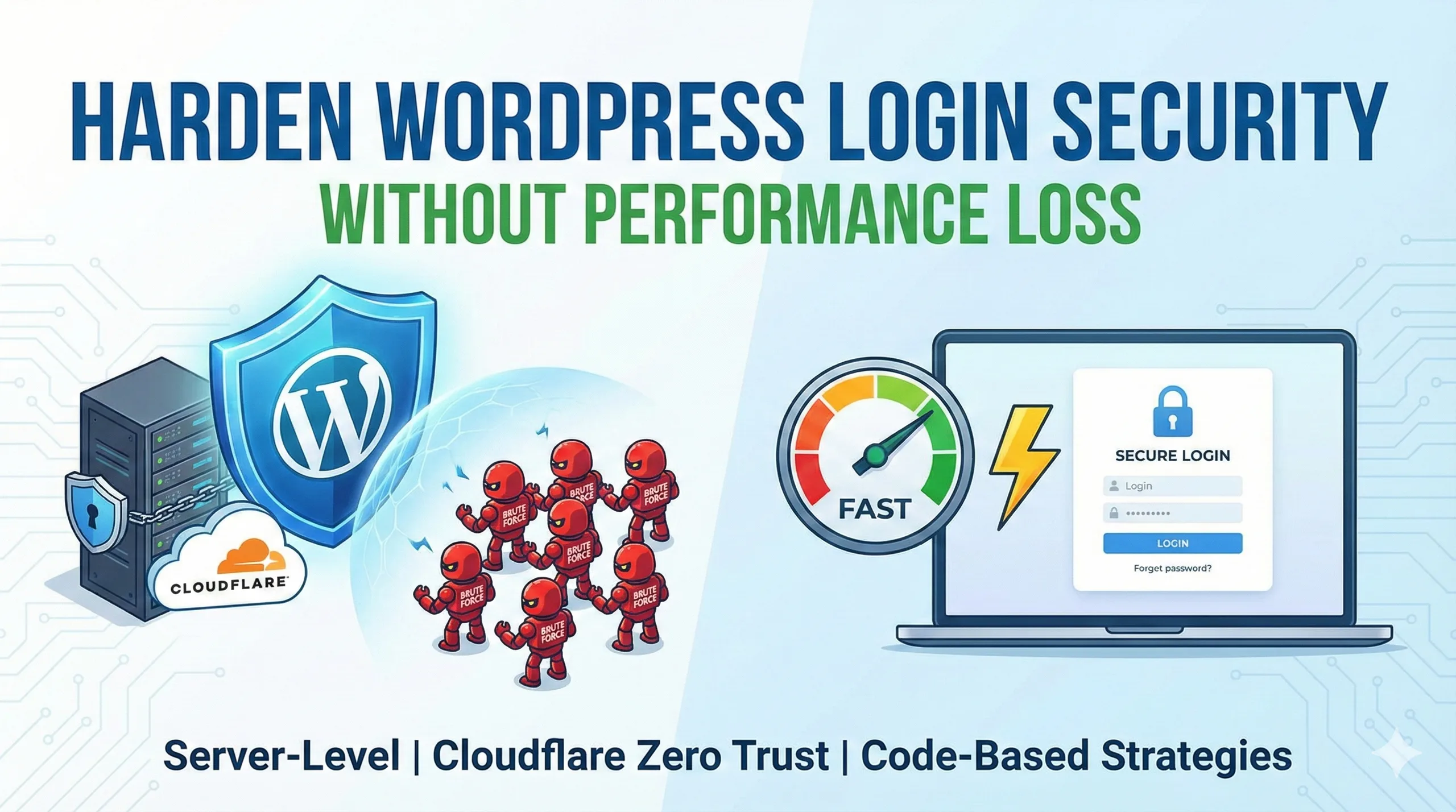
Harden WordPress Login Security Without Performance Loss: The 2026 Guide
WordPress Login Security: Infrastructure-First vs. WordPress-Level
| Security Layer | What It Does | Impact on Performance |
| Infrastructure-First | Blocks attacks at the network edge (WAF, Rate Limiting). | Improves Speed: Reduces load on PHP and Database. |
| WordPress Hardening | Obfuscates and reduces exposure points (Hidden URLs). | Neutral: Minimal impact when configured correctly. |
| Authentication Layer | Verifies user identity (2FA, Session timeouts). | Minimal: High security gain with low resource cost. |
| Security Plugins | Handles protection inside the WordPress app. | Variable: Can slow down sites if overused. |
The Layers of a Hardened Login Environment
To achieve a truly secure environment, we recommend a layered defense strategy. This ensures that even if one layer is bypassed, the others remain intact to protect your data.
1. Server and Network Defenses
This is your "Outer Wall." It stops the attack before it even reaches your hosting environment.
- Network-Level Rate Limiting: This restricts the number of login attempts from a single IP address within a specific timeframe. When implemented at the CDN level (like Cloudflare), bots are dropped instantly.
- Web Application Firewall (WAF): A WAF filters out malicious traffic patterns, such as XML-RPC abuse or SQL injection, before they reach your server.
- Virtual Patching: Tools like Patchstack or Sucuri can apply "virtual" fixes to known plugin vulnerabilities. This protects you from "zero-day" exploits before you even have time to run a manual update.
How to Grow My Business Online: The 2026 Strategic Guide for MSMEs & Professionals
2. WordPress-Level Hardening
This is the "Inner Gate." It makes the remaining targets harder to find and interact with.
- Change the Default Login URL: Moving
/wp-login.phpto a custom slug (e.g.,/portal-access) eliminates 99% of automated bot attempts because they simply cannot find the door. - Disable Login Hints: By default, WordPress tells you if a username is correct but the password is wrong. This is a gift to hackers. Disabling these hints prevents attackers from confirming valid usernames.
- XML-RPC Disabling: Unless you are using the WordPress mobile app or Jetpack, XML-RPC is often an unnecessary vulnerability that allows bots to try thousands of password combinations in a single request.
3. Authentication and Monitoring
This focuses on the "User Side," ensuring that only authorized humans gain entry.
- Two-Factor Authentication (2FA): Even if a hacker steals an admin password, they cannot enter without the secondary code from a physical device.
- Idle Session Timeouts: If an admin leaves their dashboard open in a coffee shop, the system should automatically log them out after a period of inactivity.
- Device and Location Monitoring: Modern systems can alert you if a login occurs from an unrecognized country or browser.
How to Build a Hospital Website: The Complete 2026 Guide for Healthcare Leaders
Critical Mistakes That Weaken Your Security
At TenG Spectrum, we often see businesses compromise their own security through simple configuration errors. Avoiding these common mistakes will put you ahead of the curve.
Over-Reliance on Heavy Plugins
Installing three different "all-in-one" security plugins doesn't make you three times safer; it just makes your website three times slower. These plugins often conflict with each other, creating "security holes" while bloating your database.
Using Complex Image CAPTCHAs
Traditional CAPTCHAs (clicking on traffic lights or crosswalks) are increasingly solved by AI, yet they continue to frustrate real users. This leads to higher bounce rates. We recommend Invisible Bot Challenges (like Cloudflare Turnstile), which verify humanity without requiring any user interaction.
Poor Password Hygiene
A "Strong" password isn't just one with a capital letter and a number. It's a unique string managed by a password manager. Sharing admin accounts among multiple team members is a recipe for disaster. Each user should have their own account with the minimum level of access required for their job.
Do Small Businesses Still Need a Website? The 2026 Verdict
Why Choose TenG Spectrum for Your Digital Strategy?
Building a website is easy; securing and optimizing it for long-term growth is where the challenge lies. At TenG Spectrum, we don't just "build sites"—we engineer high-performance digital solutions.
Our remote team of experts specializes in:
- Premium Web Development: Clean code, high speed, and "security-first" architecture.
- Advanced SEO & AEO: Ensuring your brand answers the questions your customers are asking.
- Infrastructure Management: Moving your heavy security tasks to the server level so your site stays fast.
Don't let a slow, insecure website hold your business back. Let the experts at TenG Spectrum harden your defenses while accelerating your growth.
Would you like us to audit your current WordPress security and performance? Contact TenG Spectrum today for a premium digital consultation.
Frequently Asked Questions
Find quick answers to common questions about this topic