Why Your Website Footer Matters More Than You Think (And How to Automate It)
Imagine this scenario: It is January 2nd. A potential high-value client visits your website. They are impressed by your services, your portfolio looks sharp, and your testimonials are glowing. Then, they scroll to the bottom of the page to find your contact details.
There, glaring in the footer, is the text: © 2019 Your Company Name.
Instantly, a seed of doubt is planted. "Are they still in business?" "Do they neglect their own site?" "If they can't handle small details, how will they handle my project?"
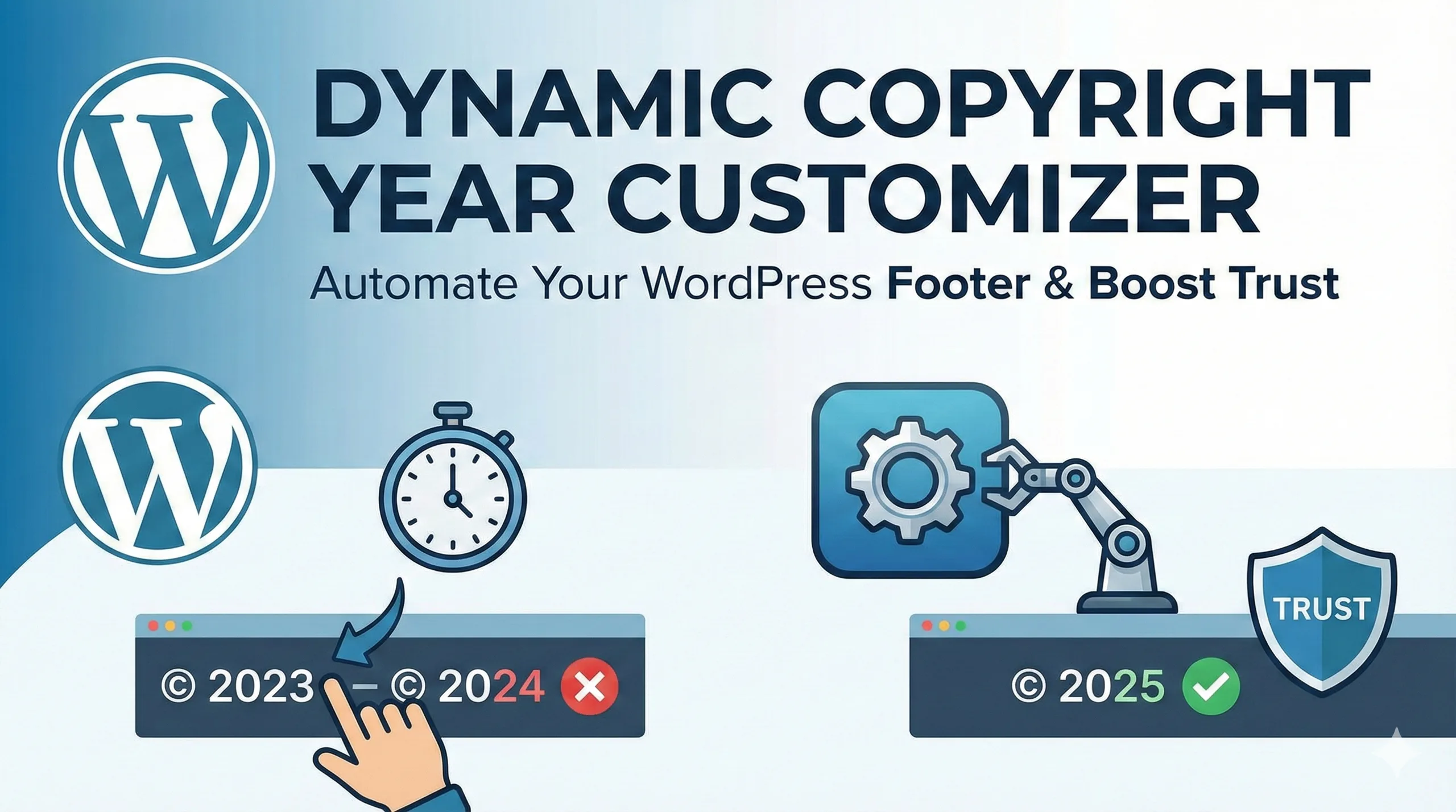
At TenG Spectrum, we believe that digital excellence lies in the details. An outdated copyright year is a small oversight that can have disproportionate consequences for your brand's credibility. Today, we are exploring the definitive solution for WordPress users: the Dynamic Copyright Year Customizer (DCYC).
The Hidden Cost of a Static Copyright Year
Before we dive into the technical solution, it is vital to understand why this matters. As business owners and medical professionals, you focus on high-level strategy, not checking your website footer every New Year's Day. However, static footers create friction in three key areas:
1. User Trust and Brand Perception (E-E-A-T)
Google's Quality Rater Guidelines emphasize E-E-A-T (Experience, Expertise, Authoritativeness, and Trustworthiness). While a copyright date might seem trivial, it is a direct signal of Trustworthiness. An up-to-date footer signals active maintenance. An outdated one suggests abandonment. For MSMEs and medical practices where trust is currency, this signal is non-negotiable.
2. The "Freshness" Signal in SEO
Search engines prioritize fresh, relevant content. While the footer date itself is not a primary ranking factor, it contributes to the overall "freshness" score of your page. When Google crawls your site and sees a current date, it validates that the site is active. Consistent inconsistencies (like a 5-year-old date) can eventually devalue your domain's perceived authority.
3. Operational Efficiency
Manually updating the year across multiple websites is a waste of human capital. If you manage five different portals or a multisite network, that is valuable time lost on a task that should be automated.
Enter the Solution: Dynamic Copyright Year Customizer (DCYC)
The Dynamic Copyright Year Customizer is a robust, lightweight WordPress plugin designed to solve this exact problem. It replaces the static text in your footer with a dynamic shortcode that automatically fetches the current server year.
Key Features of DCYC
This plugin is preferred by developers and business owners alike because it strikes a balance between simplicity and functionality.
- Zero-Touch Automation: Once installed, it updates the year at the stroke of midnight every January 1st.
- Lightweight Code: It does not bloat your website or slow down load times (crucial for Core Web Vitals).
- Flexible Shortcodes: You can place the dynamic date anywhere—footers, sidebars, or even inside blog posts.
- Custom Text Support: It allows you to sandwich the dynamic year between custom text (e.g., "Copyright © [Year] TenG Spectrum").
Step-by-Step Guide: Installing and Configuring DCYC
We have broken down the setup process to be accessible for non-technical users while robust enough for developers.
Step 1: Installation
- Log in to your WordPress Dashboard.
- Navigate to Plugins > Add New.
- In the search bar, type "Dynamic Copyright Year Customizer".
- Look for the plugin with the correct author and reliable reviews.
- Click Install Now, then Activate.
Step 2: Configuration
Unlike complex SEO plugins, DCYC is plug-and-play. However, you need to configure the output format to match your brand voice.
- Go to Settings > Dynamic Copyright Year Customizer.
- You will see fields for "Text Before" and "Text After".Text Before Example:
Copyright ©Text After Example:TenG Spectrum. All Rights Reserved. - Text Before Example:
Copyright © - Text After Example:
TenG Spectrum. All Rights Reserved. - Save your changes.
Step 3: Implementation in the Footer
This is where the magic happens. You need to replace your old static text with the plugin's dynamic tag.
For Widget-Based Footers:
- Go to Appearance > Widgets.
- Find your Footer widget area.
- Add a "Text" or "Shortcode" widget.
- Paste the plugin's shortcode:
[dyc_customizer_dynamic_year] - Click Update.
For Elementor or Page Builders:
- Open your Footer Template in the builder.
- Drag a "Shortcode" element into the copyright section.
- Paste
[dyc_customizer_dynamic_year]. - The builder will render the current year immediately.
Comparison: Manual vs. PHP vs. DCYC Plugin
Why use a plugin when you could hire a developer to write code? Here is a strategic comparison for decision-makers.
| Feature | Manual Update | Custom PHP Code | DCYC Plugin |
| Cost | Free (Time-intensive) | Low (Developer fee) | Free / Low |
| Reliability | Low (Prone to forgetting) | High | High |
| Ease of Use | Easy | Difficult (Requires coding) | Very Easy |
| Risk | Zero technical risk | High (Can break site if wrong) | Low |
| Maintenance | Annual effort required | Zero effort | Zero effort |
The Verdict: For most MSMEs and business owners, the DCYC Plugin offers the highest return on investment by eliminating risk and effort without requiring technical expertise.
Advanced Strategies: Footer Optimization for AEO
Answer Engine Optimization (AEO) is about answering user questions directly. Your footer is often where users look for "trust" answers. While optimizing your copyright year, consider these additional improvements to turn your footer into a conversion asset.
- NAP Consistency: Ensure your Name, Address, and Phone number are text-based (not images) so Google can crawl them.
- Legal Links: clearly link your Privacy Policy and Terms of Service next to your dynamic copyright date.
- Social Proof: A small line stating "Serving [Industry] since 2010" builds authority.
Conclusion: Set It and Forget It
In the fast-paced world of digital business, automating small tasks frees up your mental bandwidth for big decisions. The Dynamic Copyright Year Customizer is a "set it and forget it" tool that protects your brand's image and ensures you never start a New Year with an outdated website.
At TenG Spectrum, we specialize in identifying and implementing these high-impact digital solutions. Whether you need a simple footer fix, a complex website overhaul, or a comprehensive SEO strategy that drives revenue, our remote team of experts is ready to elevate your digital presence.
Stop worrying about the technical details. Let us handle the spectrum of your digital needs.
Frequently Asked Questions
Find quick answers to common questions about this topic