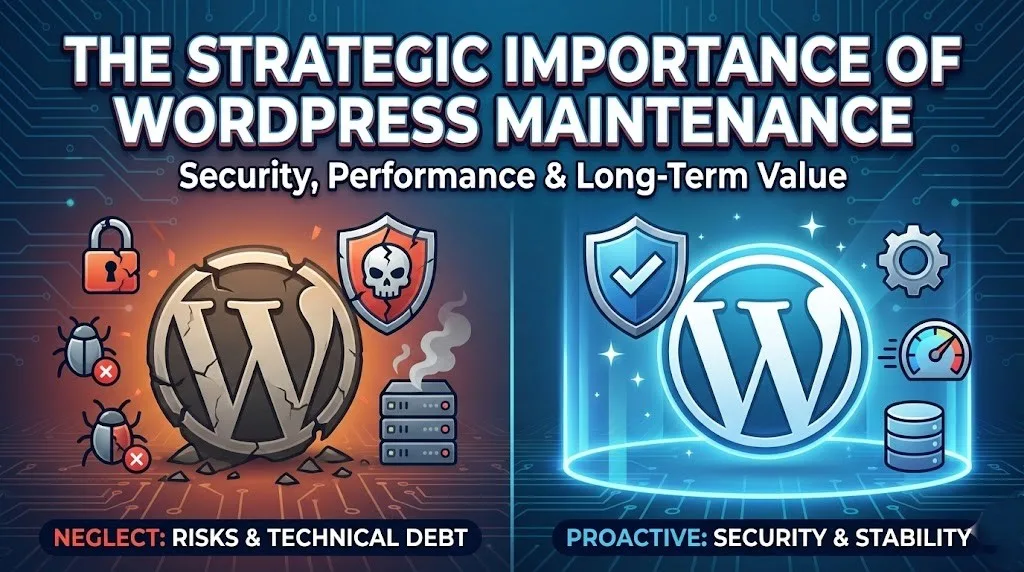

On October 21, 2026, the official PHP development team published an emergency global security advisory warning of two zero day grade, critical remote code execution vulnerabilities. These vulnerabilities, cataloged under CVE-2026-109618 and CVE-2026-109619, are currently being targeted in the wild by malicious threat actors.
Both security flaws have received a critical CVSS v4.0 severity rating of 9.2. They enable unauthenticated external attackers to execute arbitrary system code directly on your production web server without needing any login credentials, administrative privileges, or previous access to your applications.
If your web applications rely on PHP, including content management systems like WordPress, WooCommerce stores, Drupal sites, Laravel architectures, or custom API endpoints, your infrastructure is exposed until your hosting environment is updated and restarted.
At TenG Spectrum, our engineering and security response teams initiated immediate patching across all servers under our active Website Care and Maintenance Plans within minutes of the official vendor release. If you do not operate under an active maintenance SLA with our team, we urge you to treat this disclosure as an emergency priority.
Below is an exhaustive technical breakdown of these flaws, an actionable step by step remediation protocol, server level mitigation workarounds, and critical post patch integrity verification steps.
Technical Analysis: Understanding CVE-2026-109618 and CVE-2026-109619
To address these vulnerabilities effectively, server administrators must understand the specific internal mechanisms triggering execution failure in the PHP runtime core.
1. CVE-2026-109618: Remote Code Execution via Out of Memory Corruption
This vulnerability occurs within PHP internal request lifecycle management during low memory or unexpected memory exhaustion events.
When a specially crafted, oversized, or nested HTTP request reaches the server, it can force an out of memory event while PHP is only halfway through initializing internal request data structures.
Under normal circumstances, memory allocation exceptions are designed to safely terminate request handling. In this vulnerability, the engine memory cleanup routines incorrectly interpret partially initialized internal request data as valid, active variables.
When PHP attempts to clean up and free this corrupted internal memory, pointer discrepancies allow an attacker to hijack the instruction pointer and gain unauthenticated remote code execution on the server host.
12 Benefits of Managed WordPress Hosting: Complete 2026 Guide
2. CVE-2026-109619: Remote Code Execution via Stale Global State
The second flaw revolves around worker process persistence and stale internal states across sequential HTTP transactions.
Modern web architectures optimize throughput by utilizing persistent worker processes via FastCGI Process Manager, LiteSpeed worker pools, or FrankenPHP thread pools. In vulnerable versions, internal request owned data can survive inside global memory even after the backing allocations have been freed.
When the same worker process immediately picks up a subsequent HTTP request, it references this dangling, stale global state before the standard initialization routines have finished resetting the environment.
By sending structured sequences of requests, an attacker can manipulate this stale state to corrupt process memory layouts, bypass internal sandbox limitations, and execute shell instructions under the user privileges of the web service.
Impact Assessment: Which Server Stacks Are at Risk?
Every PHP runtime environment currently handling incoming web requests is directly vulnerable to exploitation. The vulnerability is present at the language core and is completely independent of the CMS or framework running on top of it.
Incoming Malicious Request
  ↓
Web Server Layer (Nginx / Apache / LiteSpeed / Caddy)
  ↓
PHP Engine Runtime Execution (PHP-FPM, mod_php, FrankenPHP)
  ↓
[Exploit Triggered in Memory Before Application Code or WordPress Runs]
Server Environments Exposed to Exploitation
- Apache with mod_php: Highest danger level. The exploit has been demonstrated to execute before application code, security plugins, or framework filters can even run.
- PHP-FPM: The standard execution engine for high performance Nginx and Apache setups is universally vulnerable across all actively managed worker pools.
- FrankenPHP and LiteSpeed: Both modern application runtimes and event driven web servers serving PHP requests are susceptible to the worker state corruption vector.
- php-cgi: Legacy and containerized CGI bindings are vulnerable to the out of memory corruption attack surface.
Because this exploit triggers at the internal runtime layer before your application initializes, standard software firewalls like WordPress security plugins, Wordfence, or Sucuri cannot reliably intercept every variant of the exploit payload. Remediating the PHP binary directly is the only definitive cure.
Patched Versions and Architecture Compatibility
The PHP development team has pushed official security releases across all supported version branches. Review the table below to verify your version against the required patched release:
| PHP Branch | Vulnerable Releases | Patched Release Required | Status and Lifecycle Notes |
| PHP 8.5 | 8.5.11 and below | PHP 8.5.12 | Active Development Branch |
| PHP 8.4 | 8.4.26 and below | PHP 8.4.27 | Fully Supported Stable Branch |
| PHP 8.3 | 8.3.35 and below | PHP 8.3.36 | Fully Supported Stable Branch |
| PHP 8.2 | 8.2.34 and below | PHP 8.2.35 | Security Only. Reaches EOL on December 31, 2026 |
| PHP 8.1 | All versions | No Official Patch | End of Life. Must migrate or use LTS backports |
| PHP 8.0 | All versions | No Official Patch | End of Life. Must migrate or use LTS backports |
| PHP 7.4 | All versions | No Official Patch | End of Life. Source backports only |
The End of Life Warning for PHP 8.2 and Older
PHP 8.2 is in its final security phase and will reach official End of Life on December 31, 2026. While version 8.2.35 addresses this critical flaw, websites still running PHP 8.2 must begin immediate migration planning to PHP 8.3 or PHP 8.4 to maintain continuous compliance and security protection.
For legacy installations running PHP 7.4, 8.0, or 8.1, the upstream PHP project has ceased general package releases. Minimal source code backports have been provided solely for enterprise Linux LTS vendors and system administrators compiling binaries manually from source. If you rely on unsupported releases, we strongly recommend migrating your application to PHP 8.3 or 8.4 without delay.
Step by Step Emergency Patching Protocol
Follow this exact sequential protocol to patch your production servers safely without causing unexpected application downtime or database corruption.
Phase 1: Complete System and Database Backup
Before applying package upgrades or modifying control panel configurations, take a full system snapshot.
- Generate a complete database dump of all production databases using standard administrative tools or mysqldump.
- Create an offsite backup of your web application root files, wp-config.php files, custom scripts, and user upload directories.
- If running on cloud instances like DigitalOcean, Linode, AWS, or Hetzner, execute an instant storage snapshot through your VPS provider management console.
Phase 2: Updating PHP Across Control Panels and Operating Systems
Depending on your web hosting environment and server management stack, execute the appropriate upgrade procedure below.
cPanel and WHM (EasyApache 4)
Updates for EasyApache 4 are already live across global repositories.
- Log in to your WHM dashboard with root administrative privileges.
- Run the cPanel system update tool by navigating to cPanel > Upgrade to Latest Version or run
/scripts/upcpdirectly from the command line. - Access EasyApache 4, verify that the newly built PHP packages reflect versions 8.5.12, 8.4.27, 8.3.36, or 8.2.35, and provision the profile.
- Restart both the Apache web server and the PHP-FPM service to flush running worker threads.
Plesk Obsidian
- Log in to your Plesk administration dashboard.
- Navigate to Tools & Settings > Updates and Upgrades.
- Select Update Components and locate the PHP engine packages.
- Run the update wizard to fetch the latest builds provided by Plesk.
- Restart your web server services from the Service Management screen.
Debian and Ubuntu Server Repositories
For unmanaged cloud servers utilizing standard distribution packages or Ondrej Sury repositories:
Bash
# Update local package metadata indices
sudo apt-get update

# Upgrade installed PHP packages
sudo apt-get --only-upgrade install php8.4 php8.4-fpm php8.4-cli php8.4-common

# For setups running PHP 8.3
sudo apt-get --only-upgrade install php8.3 php8.3-fpm php8.3-cli php8.3-common
RHEL, AlmaLinux, and Rocky Linux
For Red Hat enterprise family distributions:
Bash
# Clean package manager cache
sudo dnf clean all

# Apply available security errata for PHP
sudo dnf update php\*
Important Note regarding Remi Repository: The volunteer maintained rpms.remirepo.net archive does not consistently publish compiled packages on initial release days. If your enterprise server relies strictly on Remi repositories, inspect your package manager output carefully. If compiled packages are delayed, either switch to vendor provided LTS packages or compile from source.
Who Owns the Photos on Your Website? A Complete Guide
Phase 3: Mandatory Service Restarts
Simply downloading and installing the updated packages is not enough to secure your server.
When package managers unpack updated binaries, existing PHP-FPM parent processes and resident worker threads continue executing the old, vulnerable memory mappings already loaded in RAM. You must explicitly restart your services.
Run the appropriate command for your service stack:
Bash
# Restart PHP-FPM for PHP 8.4
sudo systemctl restart php8.4-fpm

# Restart PHP-FPM for PHP 8.3
sudo systemctl restart php8.3-fpm

# Restart Apache web server
sudo systemctl restart apache2

# Or on Enterprise Linux
sudo systemctl restart httpd

# Reload Nginx to reset upstream connections
sudo systemctl reload nginx
Phase 4: Validating Active Runtime Versions
Always independently verify that the version handling live web traffic has updated, rather than relying solely on command line output.
- Check the command line binary:Bash
php -v - Check the web worker environment:
Create a temporary diagnostic script in your root directory containing
<?php phpinfo(); ?>, load it in a private browser window, verify that the version string matches the security release, and immediately delete the script from your server. - Verify every secondary PHP version currently installed on the system, as multi PHP environments often leave secondary pools unpatched and accessible.
Interim Emergency Mitigations (If Updating Immediately Is Impossible)
If you manage mission critical legacy systems that require extended regression testing before applying package updates, you must implement immediate configuration adjustments to minimize your attack surface.
These configurations only reduce specific exploit pathways. They do not fully secure your server against creative attack variations. Patching your PHP binary remains the only definitive solution.
+------------------------------------------------------------------------+
| WARNING: Interim mitigation configurations reduce exposure to specific |
| attack paths, but they do NOT make your server completely safe. Apply  |
| official software patches as soon as possible.                         |
+------------------------------------------------------------------------+
Mitigations for CVE-2026-109618 (Out of Memory Corruption)
- Eliminate Software Memory Limits: Set
memory_limit = -1within your primaryphp.inior FPM pool configuration usingphp_admin_value. This prevents PHP from throwing its own controllable internal memory limit abort, though underlying operating system allocation exhaustion can still trigger the vulnerability. - Restrict Maximum Request Body Sizes: Lower your
post_max_sizesetting. For websites without front end document uploads, setpost_max_size = 8M. For applications that require file attachments, enforcepost_max_size = 32Mand keepupload_max_filesizelower thanpost_max_size. - Enforce Strict Proxy and Web Server Boundaries: Configure your upstream reverse proxy (such as Cloudflare, Nginx, or HAProxy) to block requests with missing or anomalous Content-Length headers, deeply nested multipart form submissions, or excessive header counts.
- Configure Process Isolation Boundaries: Use Linux cgroups or Docker container resource constraints to terminate malfunctioning individual worker processes at the operating system layer. Avoid using
RLIMIT_ASorRLIMIT_DATA, as these limits trigger the vulnerable internal memory allocation failure.
Mitigations for CVE-2026-109619 (Stale Global State Corruption)
- Disable Upload Progress Tracking: Set
session.upload_progress.enabled = 0inside your masterphp.iniconfiguration and restart all worker processes. This modification must be applied at the server configuration level so it takes effect before HTTP request parsing starts. Do not attempt to toggle this setting usingini_set()inside application code. - Disable Fatal Error Backtraces (PHP 8.5 Environments Only): If you are running early builds of PHP 8.5, set
fatal_error_backtraces = 0and reboot your worker pools. This neutralizes the confirmed fatal backtrace attack vector. - Clean Up Deprecation Notices and Diagnostic Errors: Remove legacy or deprecated configuration directives that output warnings during worker boot sequences, as pre initialization diagnostics increase exposure to state corruption.
Post Incident Audit: How to Check for Signs of Compromise
Because active exploits were observed in the wild before the public release of these security patches, webmasters must audit their servers for potential unauthorized access that may have occurred prior to patching.
Review the following indicators of compromise across your applications:
1. Unrecognized Administrator Accounts
Log in to your WordPress administrative dashboard or application database and review user tables. Look for newly registered users with administrative privileges, unfamiliar email domains, or accounts created during unusual hours.
2. Unexpected File Modifications and Web Shells
Inspect your document root for newly placed .php files inside media upload folders, asset caches, or system temp directories. Standard WordPress upload directories (such as /wp-content/uploads/) should never contain executable PHP scripts.
Bash
# Scan upload directories for unauthorized PHP scripts
find /var/www/html/wp-content/uploads/ -type f -name "*.php"
3. Rogue Cron Jobs and Scheduled Tasks
Attackers who gain remote code execution commonly establish persistence through system and user level scheduling utilities.
Bash
# Review system cron files and active user crontabs
crontab -l
cat /etc/crontab
ls -la /etc/cron.*
4. Abnormal Network Traffic and Unidentified Processes
Monitor server resource utilization using tools like htop, top, or container monitoring dashboards. Look for unexplained spikes in CPU usage caused by unauthorized background processes, such as cryptocurrency miners, or abnormal outgoing network traffic to unfamiliar external IP addresses.
The TenG Spectrum Standard: Proactive Infrastructure Management
Critical zero day vulnerabilities like these demonstrate why business websites cannot afford passive hosting or neglected maintenance.
When remote code execution flaws are disclosed with active exploits already circulating in the wild, the window between patch release and widespread server compromise is measured in hours, not weeks.
Active Website Maintenance Plan Clients: Fully Protected
For all businesses operating with an active TenG Spectrum Website Care & Maintenance Plan, our infrastructure engineers identified this advisory immediately upon publication.
All client environments, managed virtual private servers, application runtimes, and worker pools have already been safely snapshotted, patched to the latest secure releases, thoroughly verified, and restarted without service disruption. Our clients did not have to review server logs, run terminal commands, or worry about potential downtime.
Operating Without an Active Maintenance Plan? Protect Your Business Today
If your business manages its web infrastructure internally, relies on basic unmanaged hosting, or lacks round the clock server administration, your websites may remain exposed to automated exploitation right now.
Recovering from a compromised production server costs significantly more in downtime, reputational damage, customer churn, and forensic remediation than maintaining proper infrastructure security in the first place.
At TenG Spectrum, we specialize in high performance website development, custom web engineering, technical SEO architecture, and enterprise grade infrastructure management. Our ongoing maintenance plans provide:
- Emergency zero day security patch management and kernel level updates
- Complete automated daily offsite snapshots and instant database backups
- 24/7 uptime tracking, performance optimization, and server load monitoring
- Web Application Firewall tuning and proactive malware containment
- Complete compatibility testing for major CMS frameworks, plugins, and custom PHP codebases
Ensure your web assets, customer data, and brand reputation remain protected against evolving digital threats.
Contact TenG Spectrum today to speak with our technical team, schedule an immediate server security audit, or onboard your web properties to our premium maintenance and infrastructure management services.
Frequently Asked Questions
Find quick answers to common questions about this topic